Tom And Jerry Ai Photo Editing Prompt – Some trends go viral not just because they look good, but because they are connected to your childhood. Thousands of trends circulate on social media these days, with people constantly creating videos and photos based on them. Naturally, if you come across a trend linked to your childhood, you are bound to love it. You have likely seen the ‘Tom and Jerry’ photos that are currently very popular; creating them has become quite easy these days. If you want to create great photos featuring yourself alongside Tom or Jerry, I will explain the steps to achieve a highly realistic look in this article. You will end up with fantastic results.
Why This Editing Is So Viral?
Why has this “Tom and Jerry” style edit suddenly become so popular? On social media, content that evokes an emotional connection tends to resonate with people, and this particular edit taps into those feelings. Whether it was in the past or even today, children—and those who grew up watching the show—have always loved these mischievous Tom and Jerry videos; they hold a special place in people’s memories. When a photo is edited in this Tom and Jerry style, people connect with it personally and really enjoy it.
How AI Has Completely Transformed Photo Editing
AI has completely transformed photo editing. Until recently, creating such images required advanced editing skills; if you lacked them, you simply couldn’t do it. Today, however, you can create these kinds of photos even without any editing expertise. Tools like ChatGPT have revolutionized the entire process—you simply need to use the right prompt to achieve excellent results. The AI understands exactly where to place the subject, how to apply lighting, and which angles to use, generating a perfectly composed image.
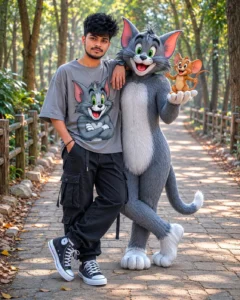
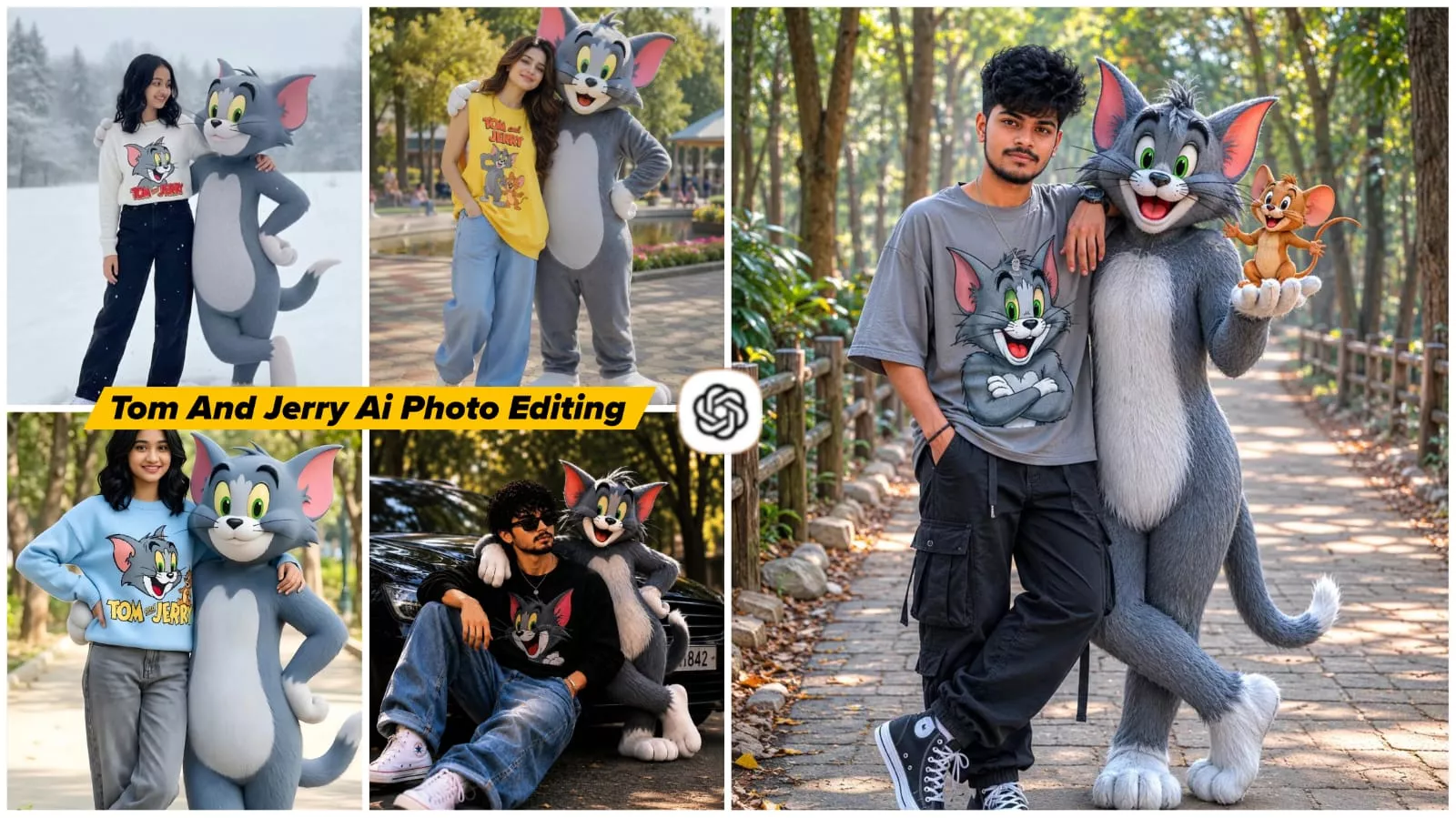
Ultra-realistic DSLR portrait of a stylish young Indian boy standing on a forest pathway beside life-sized Tom and Jerry characters, cheerful friendship pose, one hand in pocket and the other resting casually on Tom’s shoulder. The boy wears an oversized grey t-shirt featuring a large Tom cartoon print on the front, loose black cargo pants, and black-and-white canvas sneakers. Tom stands confidently next to him with a friendly smile, holding Jerry in one hand while Jerry looks playful and happy.
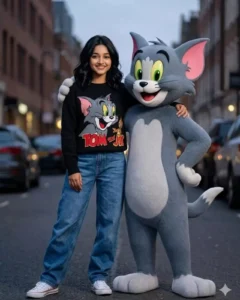
Iam with sholder length wavy black hair, expressive eyes, warm smile, and adorable face. Standing confidently in a casual stylish pose wearing a cozy light black sweater with a colorful Tom cat print, baggy blue jeans, and white Converse sneakers. Beside me stands a life-size anthropomorphic Tom cat from Tom and Jerry with soft grey fur, white belly, large green eyes, pink inner ears, and playful grin. Tom keeps one arm around my shoulder in a friendly protective pose.
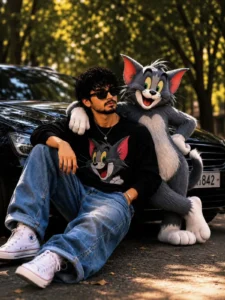
Create a cinematic ultra-realistic portrait featuring a stylish young man sitting casually on the road, leaning against a luxury black car parked beneath large trees. Beside him stands a life-sized realistic 3D cartoon cat inspired by Tom, with one arm resting naturally on the man's shoulder, creating a strong friendship vibe. The man wears black sunglasses, a black oversized sweatshirt with a Tom cartoon graphic, loose baggy blue jeans, white sneakers, and subtle accessories. His expression is calm, confident, and effortlessly cool.

The scene takes place on a tree-lined street during golden hour, with warm sunlight filtering through leaves, creating beautiful bokeh and soft highlights. The luxury car reflects the surrounding environment with glossy realistic reflections. The cartoon cat should have highly detailed fur, expressive eyes, natural shadows, realistic lighting integration, and seamless interaction with the human subject.

Composition should be low-angle, Instagram-worthy, centered subject, shallow depth of field, professional photography, streetwear fashion aesthetic, luxury lifestyle mood, cinematic color grading, warm tones, soft contrast, ultra-sharp facial details, realistic skin texture, premium social media portrait, viral AI artwork quality.

*Style Keywords:*

ultra realistic, cinematic photography, friendship portrait, luxury car aesthetic, golden hour lighting, detailed fur rendering, photorealistic human, 3D cartoon character, shallow depth of field, DSLR photography, bokeh background, premium Instagram post, fashion editorial, high detail, masterpiece, 8K, realistic shadows, natural pose, street photography, trending social media artwork

*Negative Prompt:*

blurry, low quality, extra limbs, extra fingers, deformed face, bad anatomy, duplicate character, cropped body, watermark, logo, text, username, frame, overexposed, underexposed, distorted car, cartoonish human face, unrealistic lighting, floating objects, bad hands, low resolution, noise, artifacts, oversaturated colors, motion blur, poorly rendered fur, disconnected shadows, multiple cats, duplicate people, background clutter.
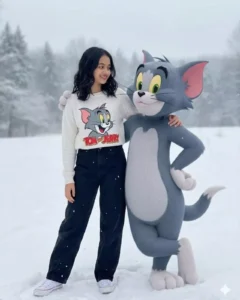
Iam with sholder length wavy black hair, expressive eyes, warm smile, and adorable face. Standing confidently in a casual stylish pose wearing a cozy light white sweater with a colorful Tom cat print, baggy black jeans, and white Converse sneakers. Beside me stands a life-size anthropomorphic Tom cat from Tom and Jerry with soft grey fur, white belly, large green eyes, pink inner ears, and playful grin. Tom keeps one arm around my shoulder in a friendly protective and next pose.
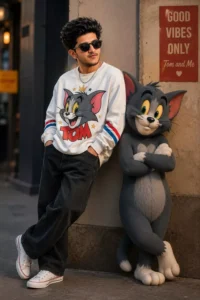
Use my uploaded image as reference. Keep the same face, hairstyle, skin tone, and sunglasses. Create an ultra-realistic full-body portrait of a stylish 19-year-old South Asian man wearing an oversized white Tom Cat graphic sweatshirt, baggy black jeans, white Converse sneakers, and a silver chain. Standing beside a life-size anthropomorphic Tom Cat with crossed arms in a modern urban street setting. Cinematic golden-hour lighting, luxury street-fashion editorial style, shallow depth of field, HDR, photorealistic, ultra-detailed, 85mm lens, Instagram aesthetic, 8K quality.
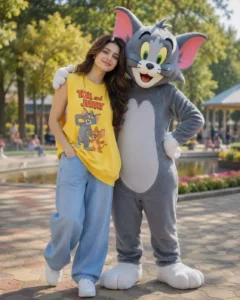
A girl with fair skin and glossy skin and young girl posing with Tom from Tom and Jerry cartoon in a sunny park. girl has long brown hair, wearing yellow oversized sweatshirt sleeveless with Tom and Jerry print, baggy light blue jeans, white sneakers, one hand in pocket, smiling. Tom the cat stands next to her as a 3D life-size character, grey fur, white belly, green eyes, pink inner ears, one hand on hip and the other arm around her shoulder.
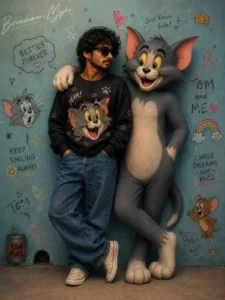
Iam with sholder length wavy black hair, expressive eyes, warm smile, and adorable face. Standing confidently in a casual stylish pose wearing a cozy light black sweater with a colorful Tom cat print, baggy blue jeans, and white Converse sneakers. Beside me stands a life-size anthropomorphic Tom cat from Tom and Jerry with soft grey fur, white belly, large green eyes, pink inner ears, and playful grin. Tom keeps one arm around my shoulder in a friendly protective pose.add watermark on left top corner "Brundaban Majhi" on Font style Signature curve on Screen blending effect.
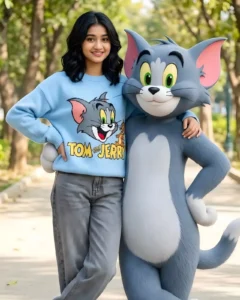
Iam with sholder length wavy black hair, expressive eyes, warm smile, and adorable face. Standing confidently in a casual stylish pose wearing a cozy light sky blue sweater with a colorful Tom cat print, baggy grey jeans, and white Converse sneakers. Beside me stands a life-size anthropomorphic Tom cat from Tom and Jerry with soft grey fur, white belly, large green eyes, pink inner ears, and playful grin. Tom keeps one arm around my shoulder in a friendly protective and next pose.
How To Create Image With Tom And Jerry Ai Photo Editing Prompt
To create this photo, you need to open ChatGPT. First, click on the plus (+) option; this allows you to upload a photo. Next, paste the prompt—you can find it either in the pinned comment or within this article. Make sure to copy it correctly, as there are different prompts for different styles. After pasting it, hit generate. It will create an amazing photo, and you will be delighted with the result.
How To Select Right Photo?
Pay attention to selecting the right photo. If you don’t use the right photo, the resulting image you create won’t turn out well, because a good final image depends on using a high-quality source photo. Your face needs to be clearly visible in the photo you choose, and the lighting should be good—a daytime photo works well. Avoid using blurry photos; instead, use a simple, clear photo where your face is clearly visible and there aren’t too many other people in the frame.