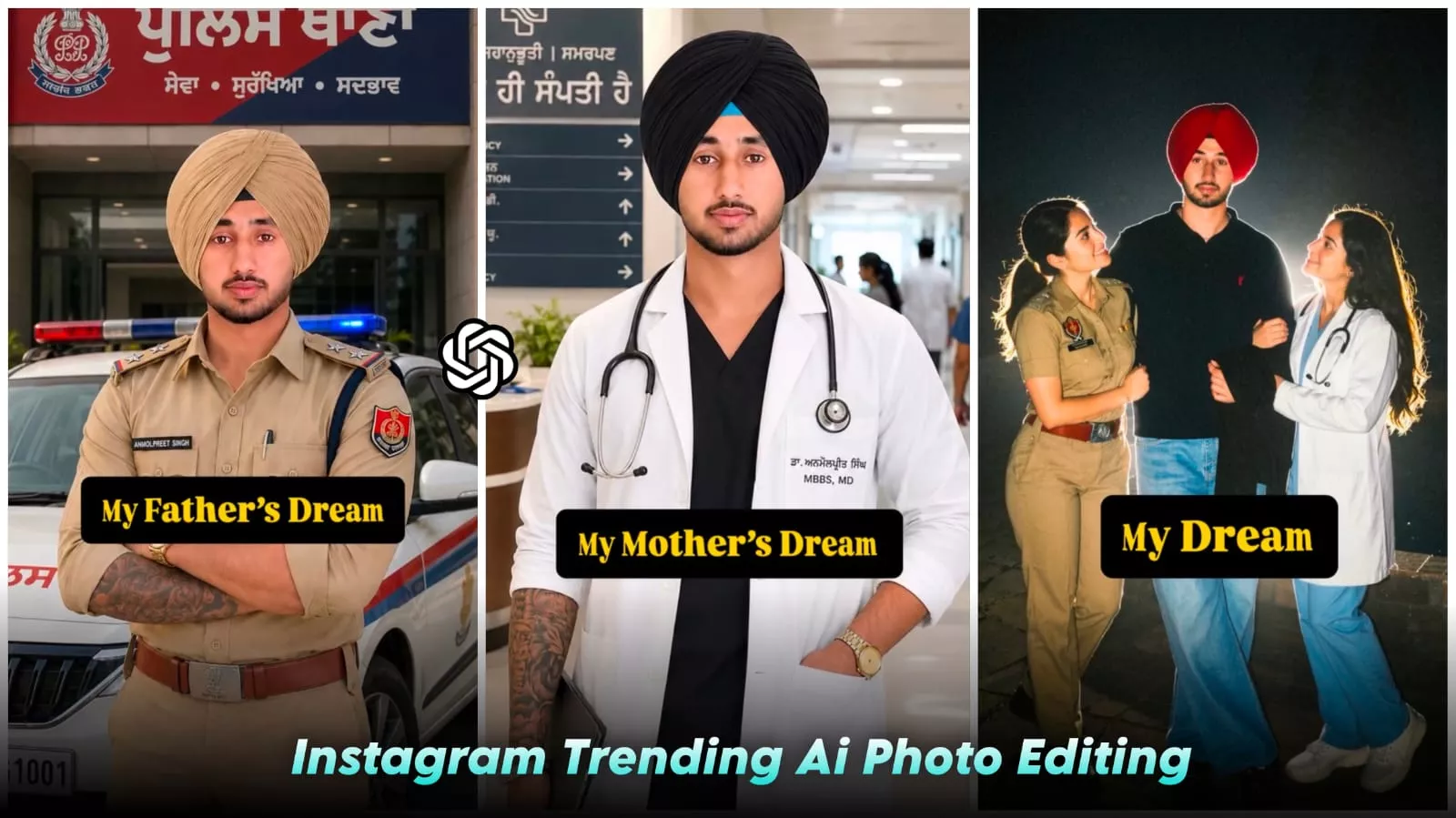
Dream Life Ai Photo Editing Prompt – You may have noticed on Instagram that photos featuring the “Father’s Dream” theme are becoming incredibly popular and widely created. I thought, why not show you how to easily create these viral photos and videos yourself? In this article, we will learn exactly how to make them and how to craft them effectively. If you want to create them, simply follow the steps in this article, and you will achieve excellent results.
Details Of Dream Life Ai Photo Editing Prompt
Let’s talk about the editing and what you’ll get out of it. First, you’ll see the video start, and then a text overlay—like “Father’s Dream”—will appear. At a specific point, the clip will transition; the subject will be shown first in a police uniform and then in a doctor’s outfit. Achieving this is incredibly simple—you can create these images using ChatGPT, and I’ll show you how. Finally, you’ll see another image where the doctor and the police officer are depicted as two young girls; this is the part that people are really loving.
Full Breakdown Of this Editing
Now, let’s discuss how we will go about this. First, we will create individual photos—specifically, one of a person dressed as a doctor and another as a police officer. I will explain the steps, and you can follow them. Finally, you will use ChatGPT to generate the ultimate image featuring both of these characters together. I will guide you through the steps for both parts.
How To Generate Images?
Let’s break it down: first, find a standard police-themed photo; copy its prompt, upload your own regular photo, and simply paste that prompt—you’ll instantly appear in a police uniform. Next, do the exact same thing for the doctor outfit: upload your regular photo, paste the doctor-related prompt, and hit generate to get your photo in doctor’s attire. Finally, upload your photo and paste the designated prompt to generate an image featuring both you and the girl together, resulting in a fantastic final photo.
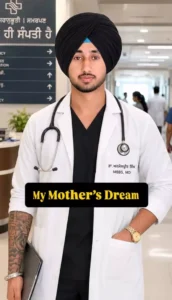
Change only the clothing of the person in the uploaded photo to a professional doctor's outfit. Add a clean white lab coat over formal attire, with a stethoscope around the neck and a doctor ID card. Keep the face, hairstyle, expression, body posture, skin tone, background, lighting, camera angle, and all other details exactly the same. Maintain realistic fabric texture, natural shadows, and photorealistic quality. Do not change anything except the clothing and doctor accessories.
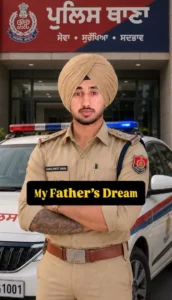
Change only the clothing of the person in the uploaded photo to a professional Indian police officer uniform (khaki shirt, matching trousers, police badges, name plate, belt, and shoulder insignia). Keep the face, hairstyle, expression, body posture, skin tone, background, lighting, camera angle, and all other details exactly the same. Maintain realistic fabric texture, natural folds, and photorealistic quality. No other changes except replacing the clothes with an authentic police uniform.
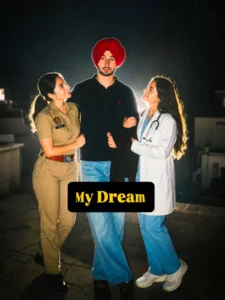
Ultra-realistic cinematic portrait of a handsome young Indian man standing confidently in the center. Keep My Face 100% Same As Refrence Image, attractive facial features, and is wearing a black polo t-shirt, light blue baggy jeans, and black shoes. On his left side stands a beautiful female IPS officer in a neat khaki police uniform with badges and belt, smiling proudly while looking at him. On his right side stands a beautiful female doctor wearing a white lab coat over blue scrubs with a stethoscope around her neck, smiling warmly at him. Both women are holding his arms, representing his dreams and future success.Powerful backlight behind all three subjects creating a glowing rim light effect, dark night background, dramatic cinematic lighting, high contrast, full-body shot, centered composition, realistic skin texture, ultra-detailed faces, professional fashion photography, inspirational dream-themed concept, depth of field, HDR, ultra-realistic shadows, 8K UHD quality, DSLR photo, masterpiece, highly detailed, vertical 9:16 ratio.
How To Create Video?
Next, you need to create the video. First, upload the single original photo—the one you used to generate all the other images—and place it in the first frame. Then, place the image of the police officer in the second frame. In the third frame, put the doctor image. Finally, use the image featuring both the doctor and the policewoman that you created last. Sync everything perfectly with the music, and your video will be ready to go viral.
Conclusion
This trending Instagram edit will be very useful for you; it will allow you to create professional-looking photos. I have explained all the details and steps—just follow them to create your own. You shouldn’t face any issues, but if you do, let me know.