Blackmagic Camera Mobile – Currently, there is a massive and rapidly growing craze among YouTube content creators and filmmakers alike for a remarkable camera—the Blackmagic Camera. This tool is gaining immense popularity because it allows users to achieve a truly cinematic look directly within the camera itself. It offers the kind of advanced capabilities typically found in high-end professional cameras, yet makes them accessible even within a simple setup. The most impressive feature is that—provided you have a standard Android phone—you can use it to record footage that boasts absolutely cinematic color grading. You won’t even need to perform manual color grading later on. So, today we will explore exactly what the Blackmagic Camera app is, how to record videos using it, and what the optimal camera settings are. We will also share some valuable tips for recording cinematic videos. We will walk you through the entire process in this article, so please read it carefully.
Details Of Blackmagic Camera Mobile
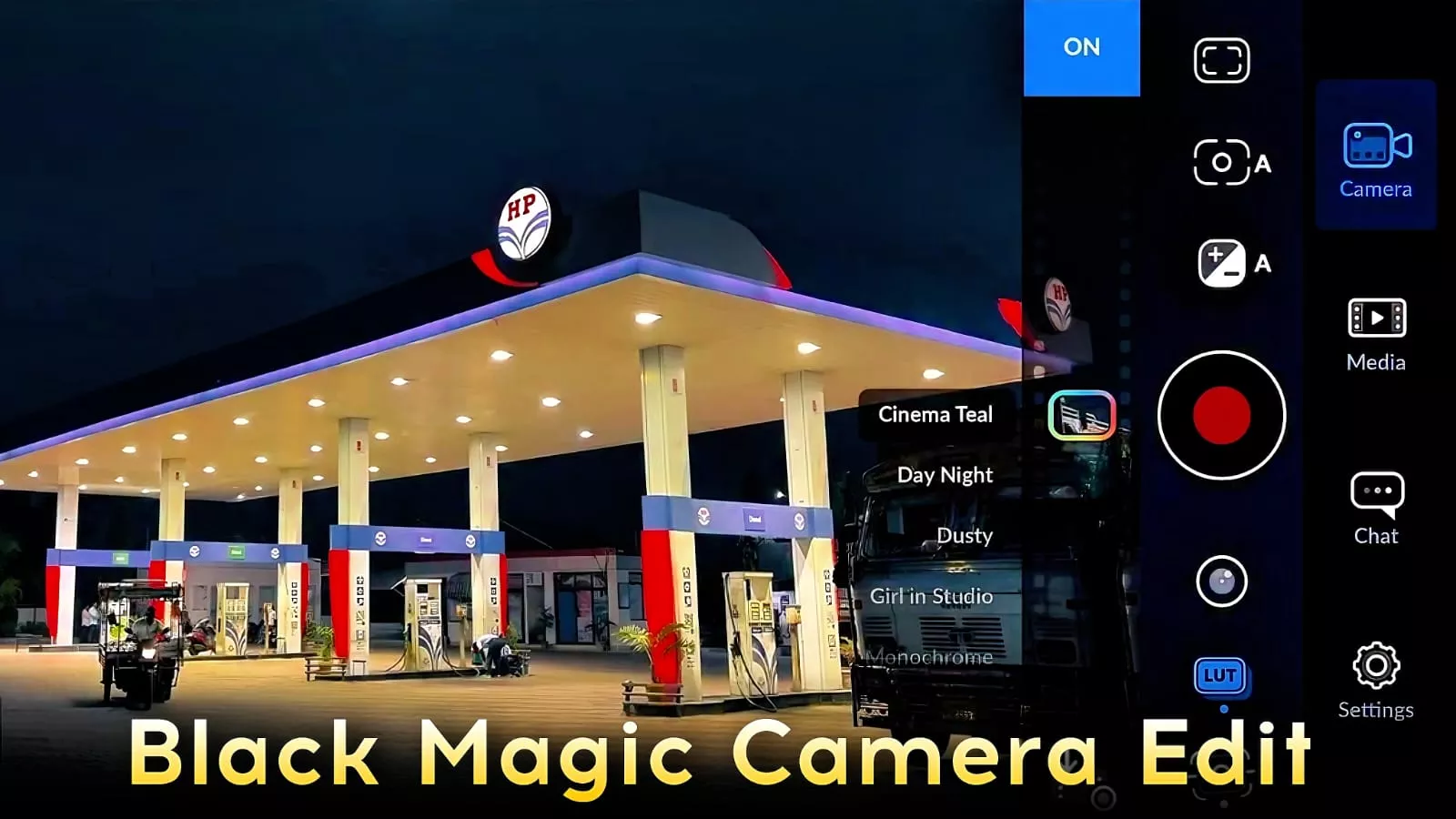
Blackmagic Camera is a recording application designed by Blackmagic—the very same company responsible for creating the cameras and editing software, such as DaVinci Resolve and Blackmagic cameras, that are widely used within the film industry. A standout feature of this app is that it offers manual controls akin to those found on professional DSLR and cinematic cameras. Most notably, it provides access to cinematic LUTs (Look-Up Tables) while you are actively recording. If you wish to preview how specific color grading styles will look on your footage, you can access a “LUT” option directly within the live recording interface, which applies the chosen look to your current shot in real-time. This is arguably the best aspect of the app, as—until now—no other application has offered a feature that allows you to apply and preview color grading on your video footage live during recording; these LUTs are truly exceptional.
The Key Features Of This Camera
There are certain key camera features that you should always be aware of. Let me tell you about them. It offers a manual mode—featuring settings such as ISO, shutter speed, white balance, and focus—which you might find in standard cameras as well. However, the implementation here is on a completely different level; for instance, you can lower the ISO much further than you typically could on a standard camera. Furthermore, it includes an option for cinematic video recording. As I mentioned earlier, you can adjust the colors in your video in real-time. You can also effortlessly record your videos in either landscape or portrait mode. Additionally, you have access to audio level monitoring. By utilizing an external microphone, you can significantly enhance the audio quality; and the best part is that you can record your videos in 4K resolution with an exceptionally high bitrate.
How To Record Video Using A Blackmagic Camera:
The process for recording video is quite simple—you can use this camera just as you would your standard camera. First, you need to select the camera app itself, and then open it. Next, select a high-resolution setting; choose whatever option looks best to you—whether that’s 1080p or 4K—depending on your phone’s capabilities. For the frame rate, you should set it between 30 and 60 fps. Now, regarding the more technical settings—such as ISO and shutter speed—I won’t go into detail here, as these involve slightly more advanced concepts. Manually controlling these settings requires some effort, so I recommend sticking to the automatic process instead. You will find a “LUT” option located at the bottom-left side of the camera interface. If you tap on it, you will see a variety of LUTs available; as you scroll through them, they will instantly apply to your video preview, fitting perfectly. Simply select and apply the one you like best, then start recording. You will find that your video turns out far superior to a standard recording, and the resulting footage will have a highly cinematic look.
Faq – Blackmagic Camera Mobile
Here are some important questions and answers that many of you have been asking.
Is this camera app free?
Yes, it is absolutely free. You can easily find it available on both the Play Store and the App Store. Next,
what frame rate is ideal for cinematic videos?
If you are aiming for a cinematic look, 24fps is considered the absolute best choice.
Can you record 4K videos with this camera app?
Yes, absolutely; provided your phone supports it, you can easily record your videos in 4K.
Do we need to perform manual color grading?
Not at all—you can simply opt for the automatic process.
While recording, just apply the LUT feature directly within the app.