Bhagwat Geeta Ai Photo Editing Prompts – Some photos are meant simply to be viewed, while others are meant to be remembered; then there are those that compel you to pause and reflect. One such photo is currently going viral: it depicts a scene where Lord Krishna is imparting the teachings of the Bhagavad Gita to Arjuna, and within the image itself, you appear as a character gazing at this picture hanging on a wall. It has been presented in a unique and visually appealing way, turning it into a trend on Instagram among Hindu followers. If you would like to create a photo like this, I will explain the process in this article so you can make one yourself.
Why Is This Photo Style So Compelling?
Generally, most people are currently creating trendy, cinematic, and diverse types of photos, but this concept offers something a bit different. It presents your image in an evocative way, depicting the scene where Lord Krishna is imparting the teachings of the Gita to Arjuna. You appear to be standing before this scene, not looking at the camera; instead, the shot is taken from behind, creating a highly realistic effect—as if a genuine photograph was snapped of you while you were engrossed in viewing the depiction of the Gita’s teachings. It looks incredibly attractive, which is why people are drawn to this style of photography.
What Role Does ChatGPT Play In Creating Such Images?
A common mistake people make is simply asking for a “photo featuring a song” or something similar. The AI doesn’t inherently understand the specific concept or the kind of result you envision. It will generate something, but you likely won’t be satisfied with it. Therefore, the crucial step is to explain the details clearly to the AI—describe the wall, the size of the painting on it, where you are standing, and how the lighting falls. You also need to specify whether you want an art gallery background or a temple-like setting. You must include all these elements in your prompt. I have already provided these prompts in the article, but if you wish to write your own, make sure to incorporate these details.
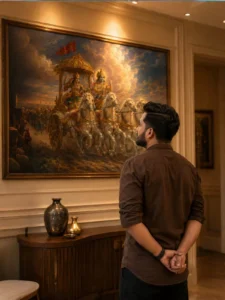
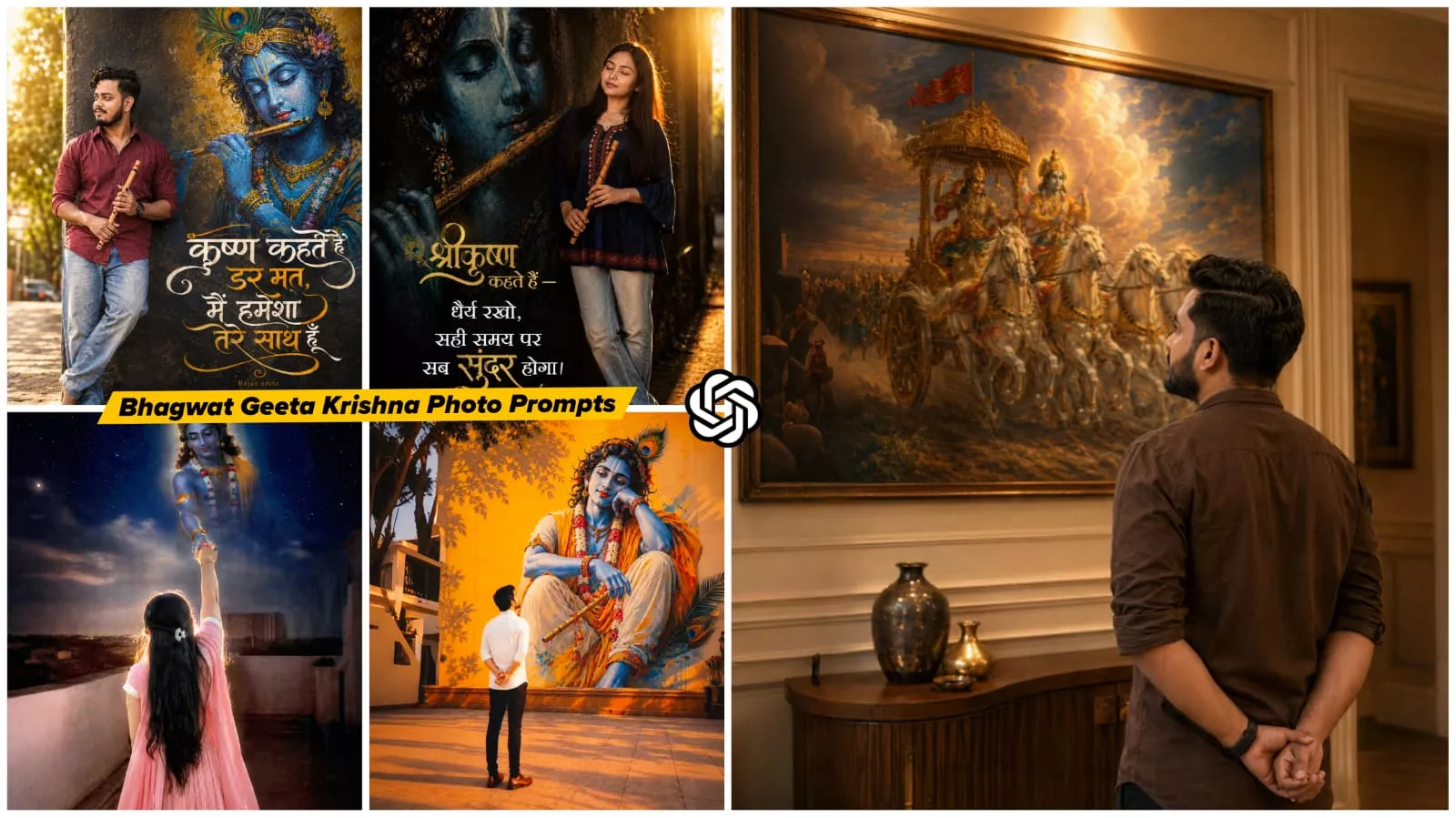
Transform the uploaded reference person into an ultra-realistic cinematic Bhagavad Gita inspired scene while preserving ONLY the exact facial identity, hairstyle, beard details, skin tone, and natural human realism from the uploaded reference image. IMPORTANT CAMERA ANGLE: the image should feel naturally clicked slightly from the left-back side perspective, not perfectly centered. The camera must capture both the person and the Mahabharata painting clearly in the frame exactly like a casual cinematic candid photo. The person should stand calmly facing the painting with both hands folded behind the back, giving a mature, leadership, wiseemotionally powerful, and self-controlled aura. The head should be slightly raised upward as if deeply thinking and absorbing the wisdom of Bhagavad Gita. Only a subtle portion of the side jawline and hairstyle should be visible naturally from the left-back angle - not a full side face Outfit should be a realistic premium dark earthy-brown cotton shirt with soft rolled sleeves, natural wrinkles, realistic texture, and masculine minimal Indian aesthetic exactly like a stylish everyday luxury look. Environment should look like a realistic modern Indian luxury room or elegant home interior with soft cream/beige walls and warm cinematic indoor lighting. The Mahabharata painting should be colorful, rich, vibrant, and highly detailed - Lord Krishna driving the divine chariot with Arjuna, white horses in motion, dramatic clouds, spiritual battlefield atmosphere, golden-orange tones, rich blue sky, premium mythological realism. The painting should remain fully visible while the person occupies the lower-right or center-right foreground naturally, creating balanced cinematic composition. Lighting style: realistic warm room lighting with subtle top glow above the artwork, natural indoor shadows, soft highlights on hair and shoulders, realistic depth and cinematic warmth. The overall image must look like real DSLR or iPhone portrait photograph captured naturally inside a luxury modern home - absolutely NO anime look, NO Al-art appearance, NO illustration style. Ultra-photorealistic cinematic photography, authentic skin texture, realistic brown shirt fabric, natural hair details, cinematic color grading, subtle depth of field, premium Instagram aesthetic, emotionally powerful masculine leadership vibe. No text, no captions, no watermark, no Ul elements. Vertical 9:16 composition

A realistic photo of a young Indian man with a short beard, wearing a maroon button-up shirt and light blue baggy jeans, leaning against a dark textured wall. He is holding a traditional wooden flute in his hand and looking to the side with a smile. Painted on the wall behind him is a large, vibrant, and highly detailed artistic graffiti mural of Lord Krishna with blue skin, holding a flute, wearing a peacock feather crown and traditional golden jewelry. Bold, stylized Hindi typography is elegantly written on the wall below the mural. Golden sunlight filters in from the side, creating a warm backlighting effect.A young Indian man in a red shirt and jeans stands bare feet leaning against a wall, holding a bamboo flute. The wall features a stunning, colorful street art mural of Lord Krishna playing a flute. Next.Rajan editz to the mural, there is beautiful Hindi calligraphy text aesthetic.krishna kahte hain dar mat, main hamesha tere saath hoon" graffiti typography in hindi.. Warm, sunny outdoor lighting with a slight bokeh effect in the background, highly detailed.
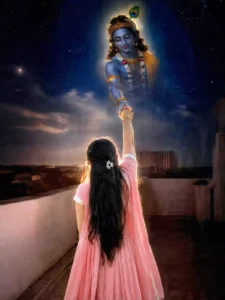
Use my original photo. Keep my face, body, hairstyle, saree and identity exactly the same. A realistic devotional scene where I am standing from the back and reaching my hand upward. Lord Krishna appears in the sky with a divine golden aura, gently holding my hand and looking at me with love and compassion. Starry night background, soft clouds, heavenly glow, spiritual atmosphere, cinematic lighting, ultra realistic, photorealistic, emotional devotional mood.(◕‿◕)..
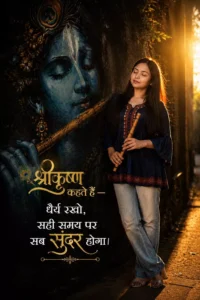
Ultra-realistic cinematic portrait of a young South Asian woman standing beside a giant blue Lord Krishna mural, eyes closed, holding a wooden flute, wearing an oversized navy-blue trendy short kurti with light-wash jeans, warm golden sunset backlight, ethereal glow, dark textured wall, spiritual devotional vibe, grainy 90s film aesthetic, realistic street photography, elegant Hindi typography on left side saying — “श्रीकृष्ण कहते हैं — धैर्य रखो, सही समय पर सब सुंदर होगा।” stylish golden and white font, balanced composition, text not covering the girl, ultra-detailed, 9:16 vertical
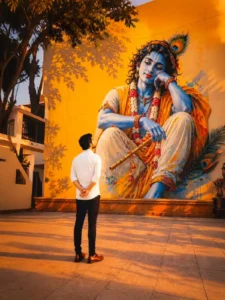
Use uploaded reference image for exact facial identity preservation. Young Indian man standing barefoot at center, back facing camera, hands folded behind back in complete surrender before a gigantic Lord Krishna mural. Krishna with blue skin, peacock feather, garlands, flute, divine expression. Golden-orange wall, sunset light, tree shadows, spiritual atmosphere, temple courtyard, cinematic HDR, ultra-realistic, photorealistic, masterpiece, 8K, depth of field, vertical 9:16.
The Key Elements That Make Your Photo Impactful
There are certain key elements that make your photo impactful. When people view this image, their attention isn’t limited to the subject alone; they experience the entire scene—such as the large backdrop frame depicting Lord Krishna imparting the teachings of the Gita to Arjuna. This added element allows the photo to evoke the atmosphere of that setting. The image features deep shadows and a perfectly balanced pose. Most remarkably, a spiritual aura has been infused into the composition. Together, these elements transform the image from a simple photograph into a thought-provoking one.
How To Use Bhagwat Geeta Ai Photo Editing Prompts
To create this photo, you need to open ChatGPT, as that is the tool we will be using. First, paste the prompt—I have already shared the prompt in the article, so simply copy the one you like. Next, after pasting the prompt into ChatGPT, click the plus (+) icon to upload a reference photo from your gallery. Once you have uploaded the photo, hit generate. It will create an amazing photo for you, and you will be delighted with the result.
Conclusion
Editing is explained very well. I’ve explained everything. Now tell us what you need. We’ll explain it to you in more detail. With all these things, you’ll be able to create even better photos, videos, or whatever you want.