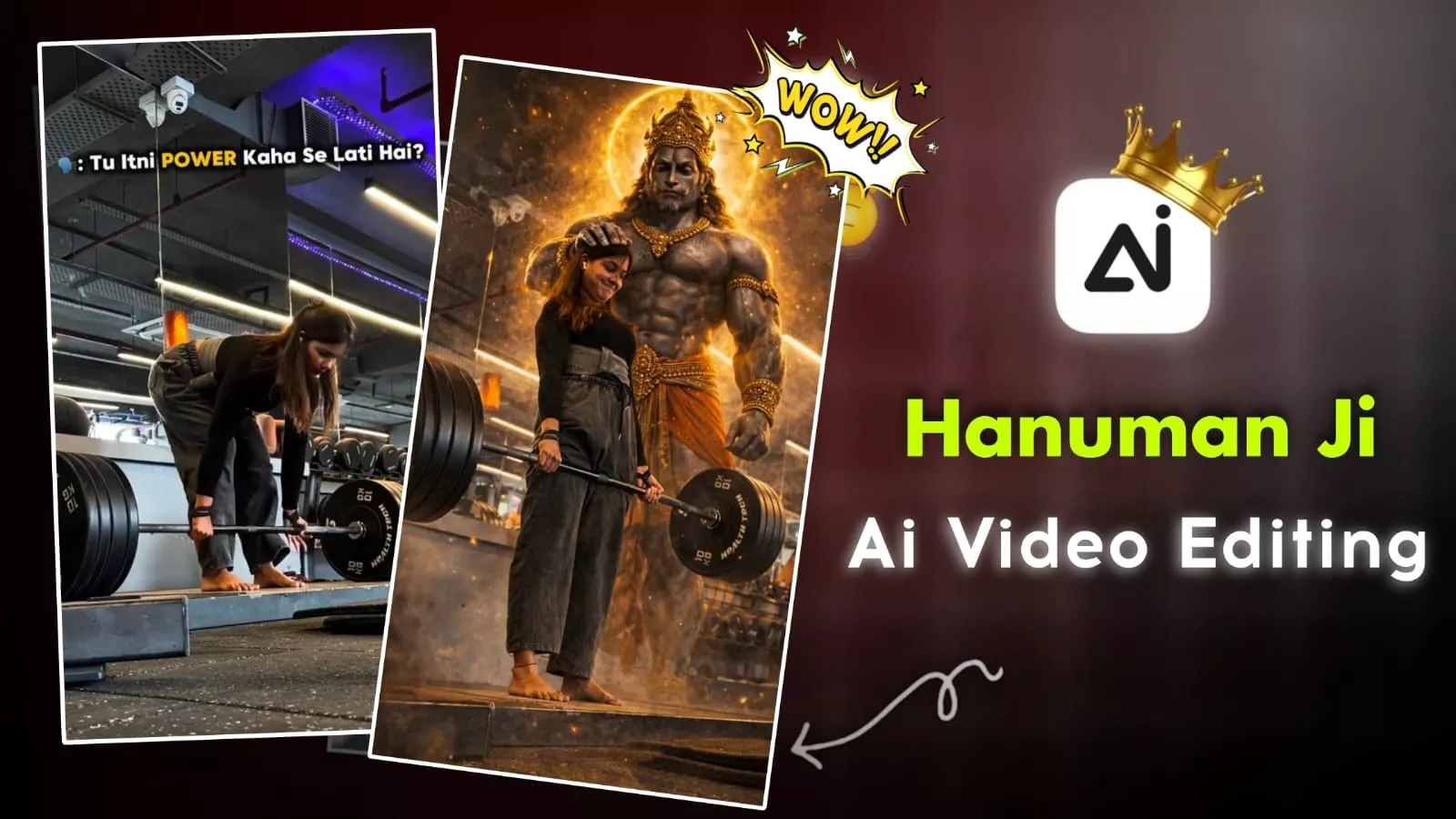
Hanuman Ji Gym Ai Video Editing – Now, look, some such editing is going viral on social media in which people create videos in their gyms. Where Lord Hanuman is giving blessings or people are walking somewhere and blessing them. How can you create such a video? How can you create a photo along with it? We will talk about this in the next article. We will also tell you how it can be created. It is so simple to create such editing. Will you need manual editing or can you create it with the help of a template? Look, let me tell you first that no tablet of any kind will be used in this. We will use AI editing plus some custom editing. We will share it with you step by step. You will know what we have done.
Details Of Hanuman Ji Gym Ai Video Editing
You’ll see something like this in editing. Understand it clearly. First, there’s a normal video. It moves forward, and the ending frame of the video is converted into a photo showing a person blessing God. We used Gemini to create this, so you’ll have to do the same. That’s the next process. I’ll explain. After that, a Sikh effect is added to the photo based on the song. If the song doesn’t fit perfectly, the video won’t go viral. The song plays a key role in this. If the song is set well, you’ll understand that your video will also go viral. This is the only effect, and nothing more needs to be done. Initially, a clip of your video will be inserted. It will be the ending frame of the video, and we’ll generate a photo from it to create this video. I’ll explain the entire process.
How To Create Image First
First, understand all the prompts I’ve provided here. Look, different prompts in different styles have been shared with you. Whatever type of video you want to make, whatever God you wish to receive blessings from, copy that prompt. Then, below, you’ll find an option labeled “Create Image.” Click on it. Once you click on it, a link to the Google Gemini website will be added. Once there, you’ll need to sign up with your ID. Then, select the “Create Image” option. You can select your favorite image from there. Click the “Plus” option and add an image. Then, paste the image you copied. Then, click the “Generate” button and wait a few seconds. It will create your perfect photo and make it ready. You’ll be delighted with the result.
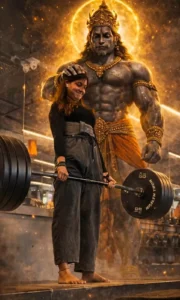
Photorealistic cinematic gym scene, Female lifter centered performing a deadlift on a wooden platform, heavy green and yellow bumper plates, muscular physique, realistic sweat and skin texture, dramatic low-key lighting with a strong top/right rim light, deep shadows and contrast, volumetric smoke/fog rising around the feet, ultra-detailed, filmic grain, shallow depth of field, 35mm cinematic lens feel, 4k photorealism. In the background: a colossal, shadowy Hanuman-like guardian spirit towering behind the lifter — enormous muscular primate deity with glowing white eyes, ornate antique gold crown, heavy gold necklaces and bracelets, intricate jewelry details, subtle smoky aura so spirit feels part of the same scene, dark desaturated palette with rich gold highlights, dramatic chiaroscuro, ultra-real textures on metal and skin, sharp detail on weights and gym equipment, cinematic mood, highly realistic, believable lighting and shadows, maintain original posture and expression from reference.
2nd Prompt :-
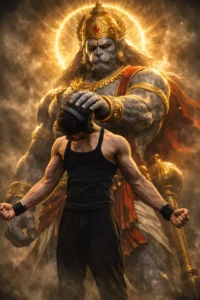
Ultra realistic cinematic digital art of lord hanuman(bajarangbali) standing behind me, hanuman blessing him by placing one hand on his head and make full photo.
Lord hanuman is tall, mascular, devine grey stone like skin, wearing golden crown (mukut), ornaments and dhoti, glowing golden aura and halo around his head powerful spritual energy. Hyper details, cinematic composition, low angle shot, 8k ultra hd shot, high contrast, volumetric lighting
3rd Prompt:-
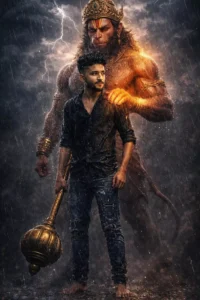
Ultra-realistic 8K cinematic portrait of Lord Hanuman Ji standing protectively behind a slim young man (use reference image).
The young man is barefoot, muscular, holding a gada, looking forward with devotion and courage.
Heavy night rain pouring down, water droplets visible on skin and cloth.
Hanuman Ji's glowing divine hand rests on the man's shoulder, radiating power, protection, and strength.
Dramatic stormy atmosphere with dark clouds, lightning in the background, cinematic rim lighting.
Video Editing Process
You’ll find out which photo you’ll need to upload in the place we used to generate the video. First, add your video clip to the Capcut application. Then, set your video properly, including music and other elements. Then, go to the ending frame and take a screenshot. Using this screenshot, generate the photos. Now, add the generated photo to the end of your clip. Then, adjust the music to ensure it’s perfectly blended. Once it’s set, go to Effects and apply this effect only to the photo. Select the “Shake Effect” option. Set the intensity and strength to 10% each, and your video will be ready. You can play it yourself and check it.
Conclusion
Another thing you should understand is that while editing here, you might feel like you’re just editing with one God. If everyone is creating like this, it’ll just be a copy of ours. Look, it’s not necessary. Everyone is doing it, so you should do it. But you can create whatever type you like, because all the other types provided are different. Most people haven’t created them, so you can create something unique by creating on them too.