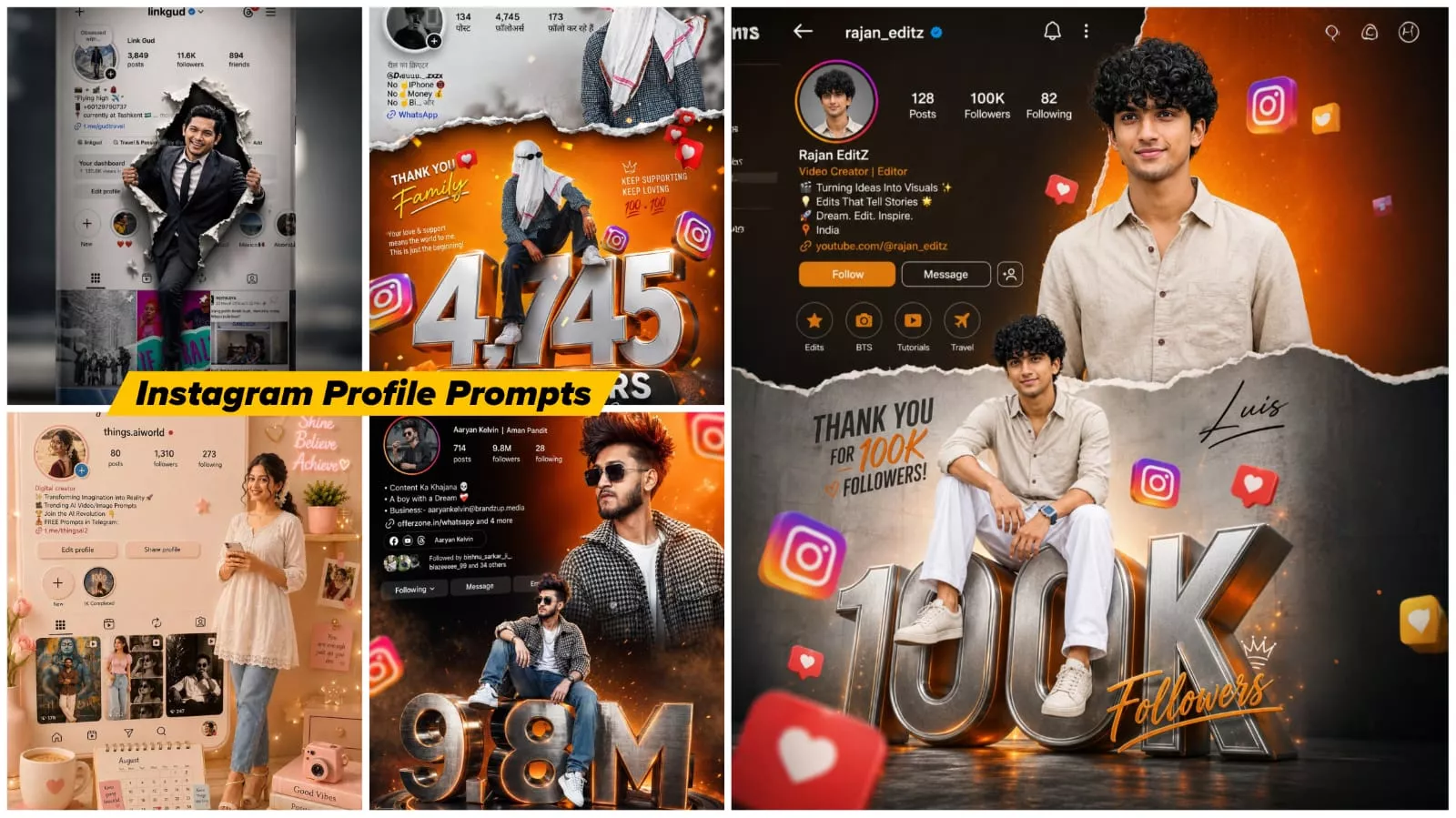
Instagram Milestone Poster Ai Photo Editing Prompts – The Instagram milestone celebration photos—which feature your profile, incorporate your photo, and display your follower count in large text—are currently going viral. If you, too, wish to create such viral images, this article will teach you just how simply these trending photos can be produced. Mastering the correct technique is essential for this type of editing. I will guide you through the precise method, showing you how to create this specific style of image—as well as other similar viral photos—to help you go viral yourself. I will provide a step-by-step guide to ensure your photo turns out looking completely professional.
Details Of Instagram Milestone Poster Ai Photo Editing Prompts
To begin editing, the first and most proper approach is to understand exactly what kind of editing style you will be working with. In this specific instance, a background is selected and subsequently divided into two distinct sections. A torn-paper effect is utilized in the center to create a visual separation—featuring an orange background at the top and a grey background at the bottom. In the lower section, a large text element is placed, rendered in a 3D metallic style. Your own image is then positioned directly atop this text. Furthermore, a key feature of the background composition is the inclusion of a “dual exposure” style photograph layered above your image. Finally, details such as your follower count and post statistics are displayed along the side, alongside your Instagram profile information. All in all, the end result is a comprehensive Instagram-themed overlay design.
Why is this particular photo so popular?
Look, on social media, followers aren’t just a number; they represent hard work, consistency, growth, community, and a creator’s journey—a journey in which everyone invests so much effort. To earn a following of this magnitude, whenever a creator reaches a significant milestone, they often create a photo like this one. Whether you reach 10,000 followers or even just 1,000, you too can create this kind of photo for your audience. People are really loving this trend right now, and if you do it right, your photo could even go viral. Creating it has become quite simple as well. Previously, one would have to use Photoshop; now, however, you simply need to use a prompt. You’ll utilize just a single tool—I’ll walk you through the steps—and your photo will be ready in no time.
Design a high-end Instagram celebration poster for reaching 10k followers with a bold cinematic and luxury aesthetic. The layout should feature Luis in two dynamic poses — a confident half-body portrait at the top with stylish fashion styling, and a second full-body sitting pose positioned on top of massive metallic chrome “10K” 3D text. Add floating Instagram logos, notification bubbles, and glowing social media elements around the composition for a trendy influencer vibe.
Create a dramatic torn-paper transition separating a textured dark grey upper section from a vibrant orange gradient lower section. Use glossy lighting, soft shadows, realistic reflections, depth effects, and glowing rim light to give the poster a premium digital-art appearance. Include subtle particles, motion blur accents, and cinematic contrast for a modern viral Instagram aesthetic.
At the top, place a realistic Instagram profile UI displaying the username, profile picture, follower count, bio, and interface icons. The final design should feel stylish, energetic, futuristic, and visually powerful — like a professional social media milestone banner created for a top content creator.
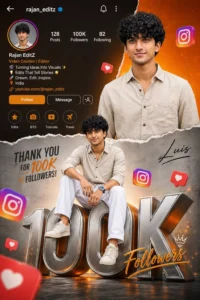
Vibrant instagram milestone poster celebrating 1000 flowers.the main subject (luis) is stylishly posing in tow different positions -one full body sitting pose on top of a big 3D metallic "1000" text with floating instagram icons, and another half-body stylish photo above with torn paper effect transition between orange gradient and grey background.the top section shows an instagram profile interface with username, rajan editz followers 1000 count,bio and icons.
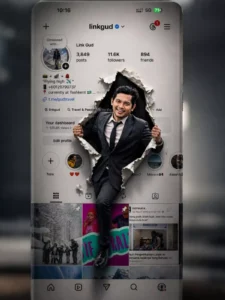
Create a realistic 3D photo manipulation using the first image as an Instagram profile interface and the second image as the person. Make the person break through the Instagram screen with a torn paper effect. The person is holding the ripped edges with both hands and coming out of the screen. Keep the Instagram UI exactly like the original image (same username, stats, highlights, and layout). Add a dark background behind the tear for depth.
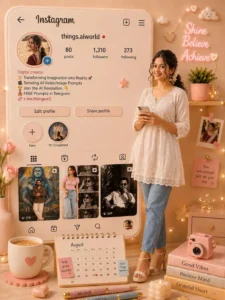
Use the uploaded Instagram profile screenshot and profile picture as the exact identity reference. Create an ultra-realistic aesthetic 3D room scene with a giant standing Instagram profile UI inspired by the uploaded account. Preserve the same username, profile image, post layout style, highlights, and overall Instagram theme naturally.

The person from the profile picture should appear standing beside the giant Instagram profile in realistic human form with the same face, hairstyle, skin tone, expression, and overall appearance. The scene should look cozy, premium, and Pinterest-style with cinematic lighting and realistic depth.

Add stylish desk accessories and aesthetic decorations matching the account vibe: glowing neon quote lights, books, candles, flowers, fairy lights, instant camera, coffee mug, motivational sticky notes, cute decor pieces, and soft ambient lighting. Add a desk calendar showing August.

Use a modern luxury color palette (choose matching tones like pastel purple, beige, pink, cream, black-gold, or dreamy blue depending on the profile aesthetic). The Instagram interface should look clean, elegant, and slightly 3D with realistic shadows and reflections.

Make the overall composition highly detailed, photorealistic, cozy, trendy, and social-media-worthy — like a premium influencer room setup mixed with a giant Instagram profile display.

Ultra realistic, DSLR quality, cinematic shadows, soft glow lighting, depth of field, premium decor aesthetics, highly detailed textures, 8k quality, vertical 9:16 ratio.
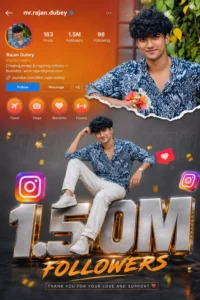
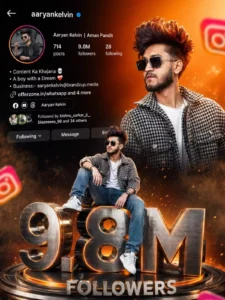
Ultra realistic Instagram design. A stylish Indian teenage boy wearing black sunglasses, black-white check shirt, blue jeans and white sneakers. Two different poses of the same person - one upper-body stylish portrait looking sideways at the top right, and one full-body sitting pose on giant metallic 3D "1.5M" text at the bottom center. Bright orange cinematic gradient background on top background at bottom Content Ke KhajareA boy with a Aaryan Kelvin Followed by bishnu sarka with smoky dark greyand Mes separated by torn paper effect. Include realistic Instagram profile Ul on left side with username, followers count, Following reels creator details, bio text and social icons. Add floating 3D Instagram logos around the scene with depth blur. Add glowing orange sparks, cinematic lighting, dramatic shadows, high contrast, ultra HD 8K quality, realistic skin texture, DSLR depth of field, stylish influencer vibe.The giant "1.5M" text should look metallic steel with orange glowing edges and circular platform below it. Add "FOLLOWERS" text below. Add handwritten signature style FOLLOWERS
How To Create These Images
Now we have shared the prompt with you to create this photo. What you have to do is copy the prompt. Copying is also very simple. You will find a button. Copy it and open the chat secret. There you will find the plus option. Click on it and upload your photo there. You can upload any photo as a reference. Then you have to paste the prompt whichever prompt you have copied. Paste it and generate it and it will create your photo with an absolutely perfect result which you will get hundred percent.
Conclusion
I think you would have liked this trending editing on Instagram hundred percent because in this I have explained the same thing which is going viral and if you like it then tell us, we will bring more good things for you and share some unique content.