Chibi Cartoon Style AI Photo Editing – There is a specific type of edit currently gaining immense popularity on Instagram—one that looks incredibly realistic and features various cartoon characters. While this editing style is quite unique, many people do not know how to create it themselves. If you are among those who don’t know how, you have come to exactly the right place, as this article is designed specifically for you. In this post, I will guide you through the process of creating this viral edit. I will cover exactly what features to expect in the final result, and—once you have successfully created the image—I will show you how to make it go viral on social media platforms like Instagram, as this is a step that most people often struggle with. Since you have visited our site, I intend to ensure you leave having learned something new—and that is exactly what I aim to achieve in this article.
Details Of Chibi Cartoon Style AI Photo Editing
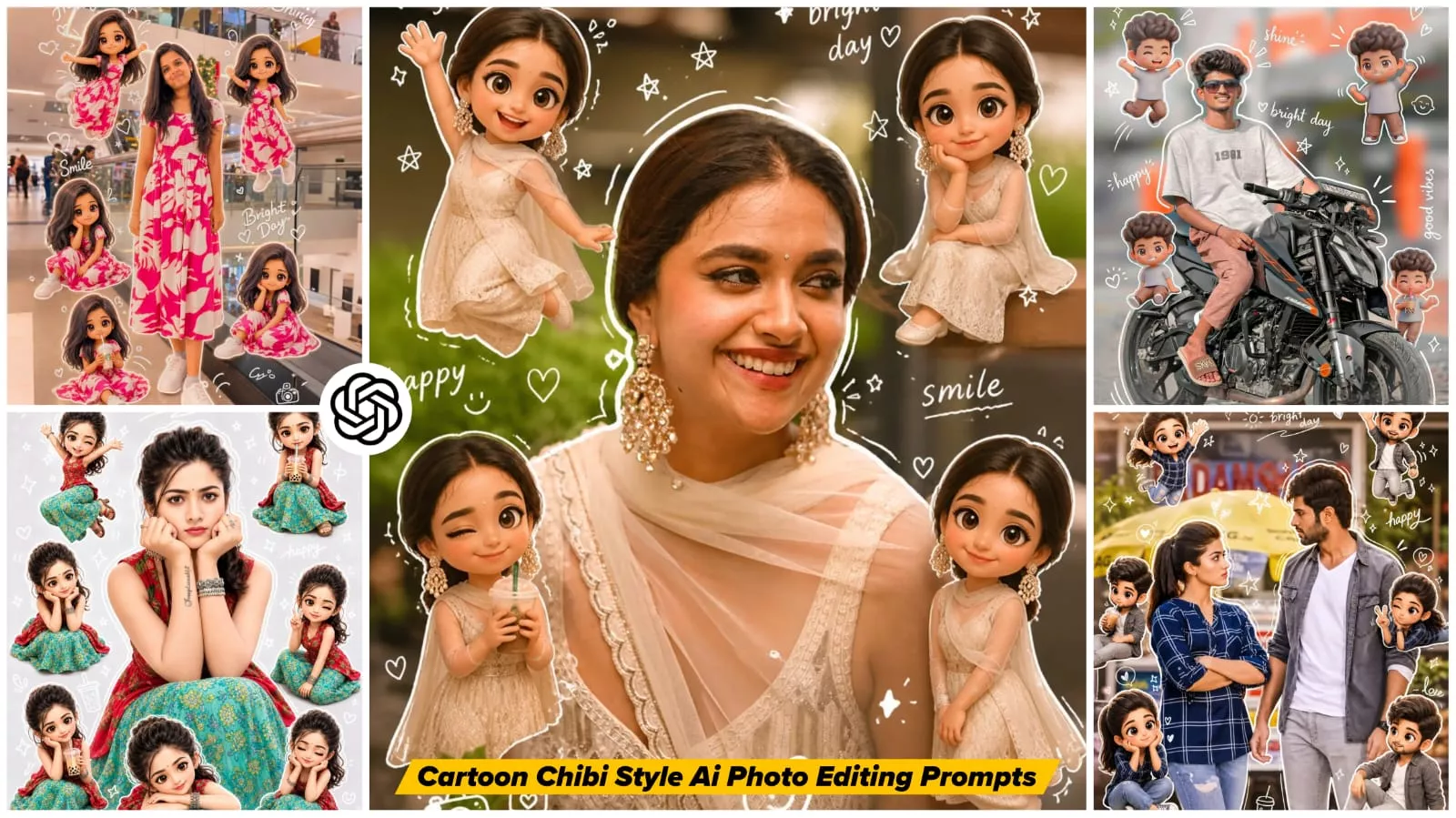
Talking about this editing, you get to see a lot of unique things in editing, like if we use a photo with this character, then that character will remain exactly the same and stable. Now what will happen here, small cartoon characters will be created and what will they be. They will appear randomly at different places in your photo and it looks very cute because if such different characters appear in a good photo of yours, then people start liking it a lot, so I also thought why not share it with you and tell you how can you create such doodle art type and TV style editing?
Why Is This Edit Going Viral?
Why are people loving it? The reason for its virality is that this particular edit transforms the content into something incredibly cute. For instance, when we use a realistic photograph, the subject within it remains completely true-to-life; however, when the additional elements are introduced, they appear as distinct 3D-style cartoons. These additions vary depending on the specific photograph and the subject featured within it—you might see small characters appearing alongside the subject, or a whimsical line forming along your side. Such unique touches evoke a sense of cuteness and charm. If you are looking to present yourself in an attractive light or want to create something truly unique, this edit is the perfect choice for you.
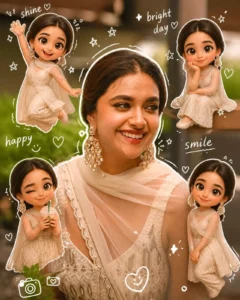
Use a real face as a reference photo.The background is the same as in the photo. The lighting is warm, soft, and clean, with subtle shadows. Around the image, add several mini chibi (3D cute style) versions of the character, while maintaining the original facial features.expressions: jumping cheerfully waving sitting relaxedholding a drink cute and playful expressions Add hand-drawn white doodle elements: outline around the main body stars, hearts, sparkles motion lines small cute icons Add aesthetic handwriting such as: "shine," "bright day," "happy," "smile," etc. (casual doodle font)Overall style: clean & aesthetic composition white sticker outline soft pastel color tone high detail 3D chibi glossy look cute Korean style instagrammable 4:5 ratio
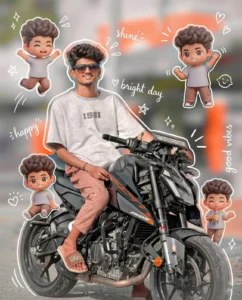
Use a real face as a reference photo.The background is the same as in the photo. The lighting is warm, soft, and clean, with subtle shadows. Around the image, add several mini chibi (3D cute style) versions of the character, while maintaining the original facial features.expressions: jumping cheerfully waving sitting relaxedholding a drink cute and playful expressions Add hand-drawn white doodle elements: outline around the main body stars, hearts, sparkles motion lines small cute icons Add aesthetic handwriting such as: "shine," "bright day," "happy," "smile," etc. (casual doodle font) Overall style: clean & aesthetic composition white sticker outline soft pastel color tone high detail 3D chibi glossy look cute Korean style instagrammable 4:5 ratio
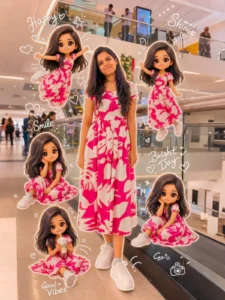
 Use A Real Face As A Reference Photo. The Background Is The Same As In The Photo. The Lighting Is Warm, Soft And Clean, With Subtle Shadows. Around The
Image Add Several Mini Chibi(3d Cute Style)Versions Of The Character, While Maintaining The Original Facial Features, Expressions:
Jumping Cheerfully Waving Sitting Relaxed Holding A Drink Cute And Playful Expressions Add Hand-Drawn White Doodle Elements:Outline Around The Main Body Stars, Hearts, Sparkles, Motion Lines Small Cute lcons Add asthetic Handwriting Such As "Shine",
"Bright'Day, "Happy', "'Smile Etc (Casual
Doodle Font)
Overall Style: Clean & asthetic Composition White Sticker Outline Soft Pastel Color Tone High Detail 3d Chibi Glossy Look Cute Korean Style Instagrammable.
Reply See translation
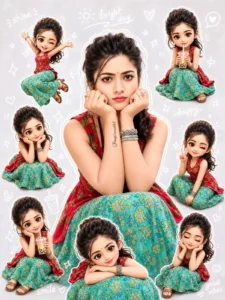
 Use A Real Face As A Reference Photo. The Background Is The Same As In The Photo. The Lighting Is Warm, Soft And Clean, With Subtle Shadows. Around The
Image Add Several Mini Chibi(3d Cute Style)Versions Of The Character, While Maintaining The Original Facial Features, Expressions:
Jumping Cheerfully Waving Sitting Relaxed Holding A Drink Cute And Playful Expressions Add Hand-Drawn White Doodle Elements:Outline Around The Main Body Stars, Hearts, Sparkles, Motion Lines Small Cute lcons Add asthetic Handwriting Such As "Shine",
"Bright'Day, "Happy', "'Smile Etc (Casual
Doodle Font)
Overall Style: Clean & asthetic Composition White Sticker Outline Soft Pastel Color Tone High Detail 3d Chibi Glossy Look Cute Korean Style Instagrammable.
Reply See translation
How To Create With Chibi Cartoon Style AI Photo Editing
To create this edit, we will utilize a tool such as ChatGPT. If you have access to ChatGPT, we will use it to generate this image. The first option available will be the one we select; click on it. Next, we will upload a pre-edited photo—specifically, a realistic image you already possess in which the colors and all other elements are absolutely perfect—as our goal is simply to add characters to it. We will proceed by adding that image. Then, we will paste the prompt. We have already shared this prompt with you within this article; you can simply copy it from there, paste it into the tool, and initiate the generation process. As soon as you paste the prompt, the option to generate the image will become available. Go ahead and generate it; you will then observe that the resulting image is just as realistic as the examples we have showcased here and throughout this article.
Note-
As for the output, you’ll definitely get a great result, with cartoon versions of yourself. Your body, and then your face, will be completely realistic. Your features will be absolutely perfect. Meaning, whatever you’ll appear in the cartoon will be completely different. You’ll see a cartoon-like mini version of yourself. It’s almost like an anime avatar.
Conclusion
You’ll love this Instagram edit if you follow this method. I’ve tried my best to give you a good understanding of the edit. Let us know how you liked it in the comments. We’ll keep bringing you more unique edits.