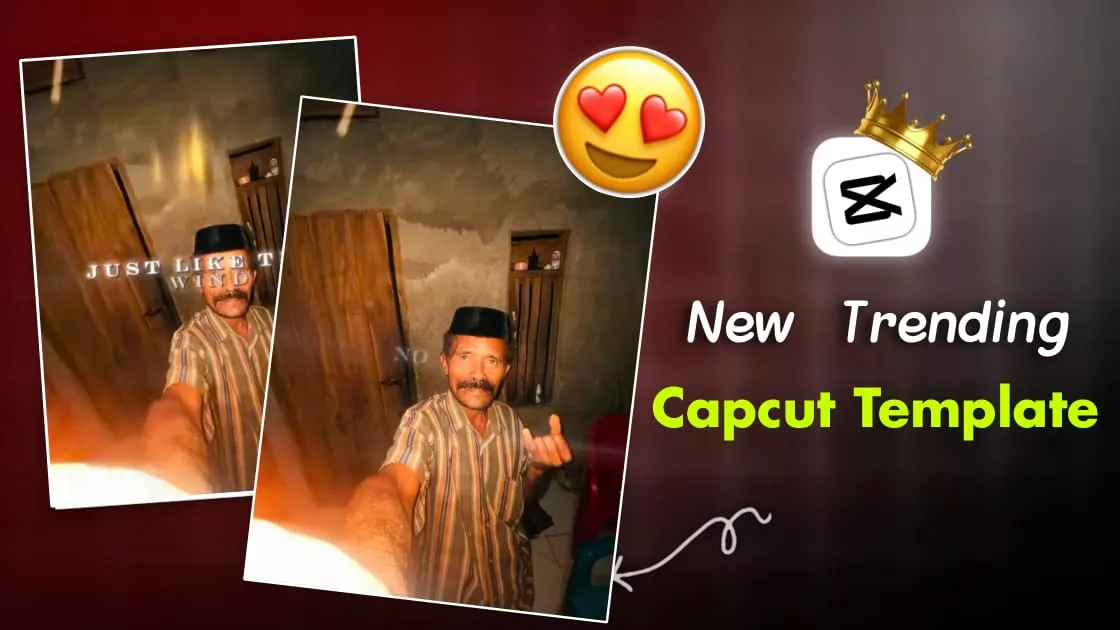
Just Like The Wind Capcut Template – Look, this is best for trending videos, especially for those who want to do professional-level editing. For example, the video starts with a split mask transition. You’ll see it split into different sections. It has a reveal effect at the beginning. After that, the entire video is based on slow motion and beat sync. This is why the editing looks quite unique, and to make it even more distinctive, photos and videos of an old man are used in the editing. I’ll tell you, if you want to create this viral editing style, you can easily do it with the help of a template.
How To Prepare Your Video ?
Now, you’ll need to prepare the video, so let me explain what kind of videos and photos you’ll need. Since the editing needs to be done according to the song, we’ll pay attention to what elements have already been used. We’ll definitely check the video preview once. I’ll explain how to do that later. After that, it’s time to prepare the clips. A single clip will be used at the beginning. It will automatically split itself; you don’t need to split it manually because it’s already included in the template. You just need to add the clip. Then, you’ll need to prepare three or four short clips. These will be added later, and that’s where you’ll see the beat and slow-motion effects.
Details – Just Like The Wind Capcut Template
Look, at the beginning, you’ll get this mask and split transition through automation. You just have to insert your video clips. Just be careful with the timing here. After that, you’ll see a side movement in the clip, like a mask is applied, and then it moves, opening up like a piece of paper. That’s what you’ll see here. Then, the split effect ends according to the audio you’ve used. After that, you’ll see your videos. They appear in small clips with different transitions. The fact that it’s synced with the song makes it even more attractive. Using some unique videos here could make it even more likely to go viral.

How To Use Just Like The Wind Capcut Template
Now, if you want to create a video using this trending editing style, we’ve provided a template here. If you like this template, simply click on the “Check Template” button. It will open in CapCut. There, you’ll get the option to select a video. You can select any video you like from there. After selecting, check the preview. If it looks good to you, then your editing is complete. You can then export it. While exporting, you can set the resolution to 1080p and the frame rate up to 60fps in the settings. 30-60 fps is ideal. After that, your editing is complete. This is how you can create this viral video.
Conclusion
The final output will look something like this video. You’ll see a split mask preview effect at the beginning, smooth movements, perfect beat sync, a cinematic look, and an aesthetic feel. This is how your edited video will turn out. I hope you’ve seen these details in your result. I think this is a truly professional edit. It’s going to be the best for you, especially if you don’t know how to edit. With this template, you can create this kind of edit even with zero editing experience.